777bup on Mobile – Everything in One App
Most players in the Philippines access online gaming from their phones, and 777bup is built with that in mind. The mobile app gives you access to the full platform — sports betting, slot games, fish games, and live casino — without needing to open a browser every time. Your account, balance in PHP, and bet history are always a tap away.
Whether you're in Manila during a commute, watching a PBA game in Quezon City, or relaxing at home in Cebu, the 777bup app keeps the experience consistent and smooth. The interface adapts to your screen size, buttons are large enough to tap accurately, and loading times are kept lean so you're not waiting around between pages.
If you've been using the browser version of 777bup, the app is a straightforward upgrade. Your login credentials carry over, your account balance stays the same, and you can pick up from exactly where you left off. There's no separate registration required — just download, log in, and continue.

777bup – Full platform access from your Android or iOS device
Available on Android and iOS
The 777bup app is available for both major mobile platforms. Here's what you need to know about each version before downloading.
Android
Download the 777bup APK file directly from this page. Because it's distributed outside the Google Play Store, you'll need to allow installation from unknown sources in your Android settings — the steps are covered below. Compatible with Android 6.0 and above.
iOS
iPhone and iPad users can access 777bup through the mobile-optimised web app by saving the site to their home screen. This gives you an app-like experience without going through the App Store. Compatible with iOS 13 and above on Safari.
How to Download and Install the 777bup Android App
Installing the 777bup APK on Android takes about two minutes. Here's the complete process from start to finish.
Open Your Android Settings
Go to Settings on your Android device. Navigate to Security or Privacy (the exact label varies by phone brand and Android version). Look for the option labelled "Install unknown apps" or "Unknown sources" and enable it for your browser or file manager. This allows APK files downloaded from outside the Play Store to be installed.
Visit the 777bup Download Page
Open your browser on Android and go to 777bup.vu/download. You're already on this page — scroll up to find the Android download link and tap it. The APK file will begin downloading to your device's default download folder.
Open the Downloaded APK
Once the download is complete, a notification will appear at the top of your screen. Tap on it to open the APK file, or go to your Downloads folder using your file manager and tap the file manually. Your phone will show an installation prompt.
Tap "Install" and Wait
Review the permissions the app requests, then tap Install. The process takes a few seconds. Once done, you'll see an "App installed" confirmation screen with the option to open 777bup right away.
Log In or Register
Open the app and log in with your existing 777bup account. If you're new, tap Register to create an account directly inside the app. Your account and PHP balance are shared across the web and app — no need for a separate setup.

777bup App – Install in minutes and get full platform access
How to Add 777bup to Your iPhone Home Screen
iPhone and iPad users can get a near-native app experience by adding 777bup to their home screen through Safari. This creates a shortcut that opens the site in full-screen mode without the browser address bar — it looks and feels like an installed app.
Open Safari on Your iPhone or iPad
Make sure you're using Safari specifically — this feature does not work the same way in Chrome or Firefox on iOS. Type 777bup.vu into the address bar and load the site.
Tap the Share Button
At the bottom of the Safari screen, tap the Share icon — it looks like a box with an arrow pointing upward. A menu will slide up from the bottom of your screen with various sharing and saving options.
Select "Add to Home Screen"
Scroll through the share menu until you find "Add to Home Screen" and tap it. You can edit the shortcut name if you like — "777bup" is fine — then tap "Add" in the top-right corner to confirm.
Find the Icon on Your Home Screen
The 777bup shortcut icon will now appear on your iPhone or iPad home screen just like any other app. Tap it to open 777bup directly in a full-screen view without the Safari navigation bar taking up space.
Log In and Start Playing
Tap the 777bup icon, log in with your account credentials, and you're in. Your account balance in PHP, bet history, and game access are exactly the same as on the browser or Android app.
What You Can Do in the 777bup App
The 777bup mobile app isn't a trimmed-down version of the platform — it's the full experience, redesigned for touchscreen interaction. Here's a breakdown of what's available once you're logged in.
Sports Betting
Bet on basketball (PBA and NBA), football, boxing, volleyball, esports, and other sports from the 777bup app. Live in-play betting is fully supported — odds update in real time and you can place bets as the match unfolds. The bet slip and confirmation flow are built for quick taps on mobile.
Slot Games
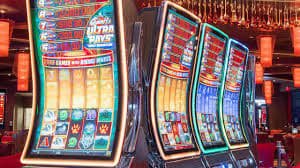
Access the full slot games library from your phone. Titles load quickly on mobile data or Wi-Fi, and the spin controls are scaled for touchscreen use. All payouts and credits are in PHP, so there's no mental conversion required.
Fish Games
The fish shooting games in 777bup are well-suited to mobile play — touch controls actually feel more natural here than a mouse. Pick your cannon, aim, and fire directly on screen. Session lengths are flexible, so you can play a few rounds or a longer session depending on your time.
Deposits and Account Management
Top up your account in PHP directly from the app using Philippine online banking channels and local e-wallets like GCash or Maya. Check your balance, review transaction history, and manage your account settings all within the same interface.
Notifications and Updates
Stay informed about live match updates and platform news through the app. On Android, you can enable push notifications to get timely alerts. iOS users receive in-app notifications when the app is open.
Secure Login with OTP
777bup uses OTP verification and SSL encryption to protect your account. Your login session is secured whether you're on the Android app or the iOS web app, and sensitive account actions require re-authentication for added security.
777bup – Sports betting, slots, and fish games on mobile
System Requirements and Compatibility
The 777bup app is built to run on a wide range of devices without needing flagship hardware. Below are the minimum requirements for a smooth experience on each platform.
Most Android phones sold in the Philippines from 2018 onwards will meet these requirements comfortably. Entry-level devices with 2 GB RAM can run the app, though live casino video streams may buffer on slower connections. A stable 4G or Wi-Fi connection is recommended for live betting markets.
Is the 777bup App Safe to Download?
A fair and common question — especially for an APK distributed outside the Google Play Store. Here's how 777bup protects your device and account data.

777bup – Secure, fast, and built for Philippine mobile users
777bup App vs Browser – Which Is Better for You?
Both the app and the browser version give you full access to 777bup. The difference is mostly about convenience and how you prefer to play.
If you play regularly, the app is the more convenient choice — particularly for live sports betting where quick access matters. The browser version is perfectly fine for occasional sessions or for trying the platform before committing to an install.
Play Responsibly on the 777bup App
Having the 777bup app on your phone makes access more convenient — which is exactly why it's worth setting some personal boundaries before you start playing regularly. Easy access and responsible habits work best together.
The 777bup app is strictly for players aged 21 and above. Online gaming and sports betting involve real money and genuine risk. No outcome is ever guaranteed. If gaming is affecting your finances or wellbeing, visit our Responsible Gaming page for self-management tools and guidance.